
Process Help Guide
Contents
Overview
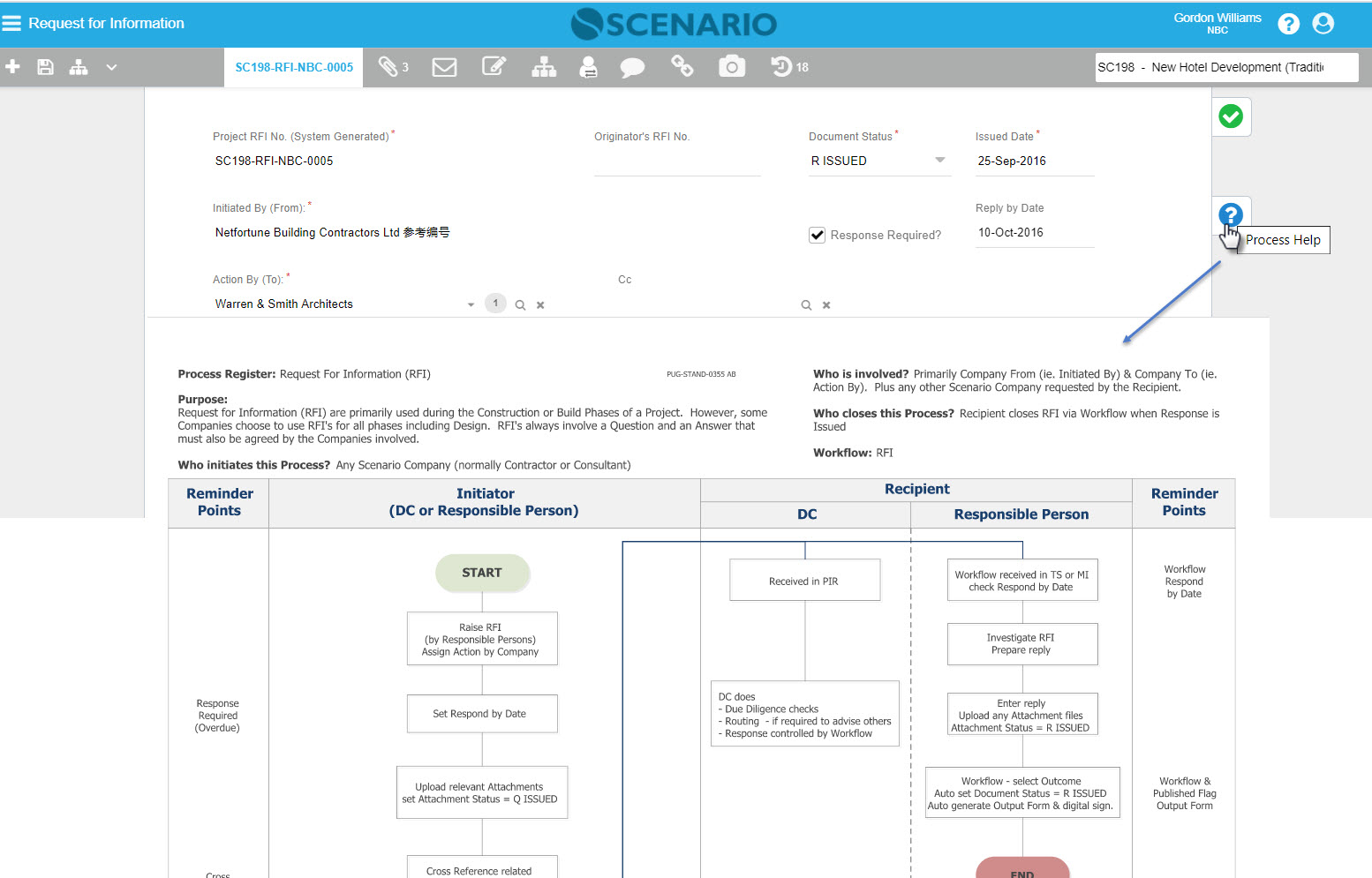
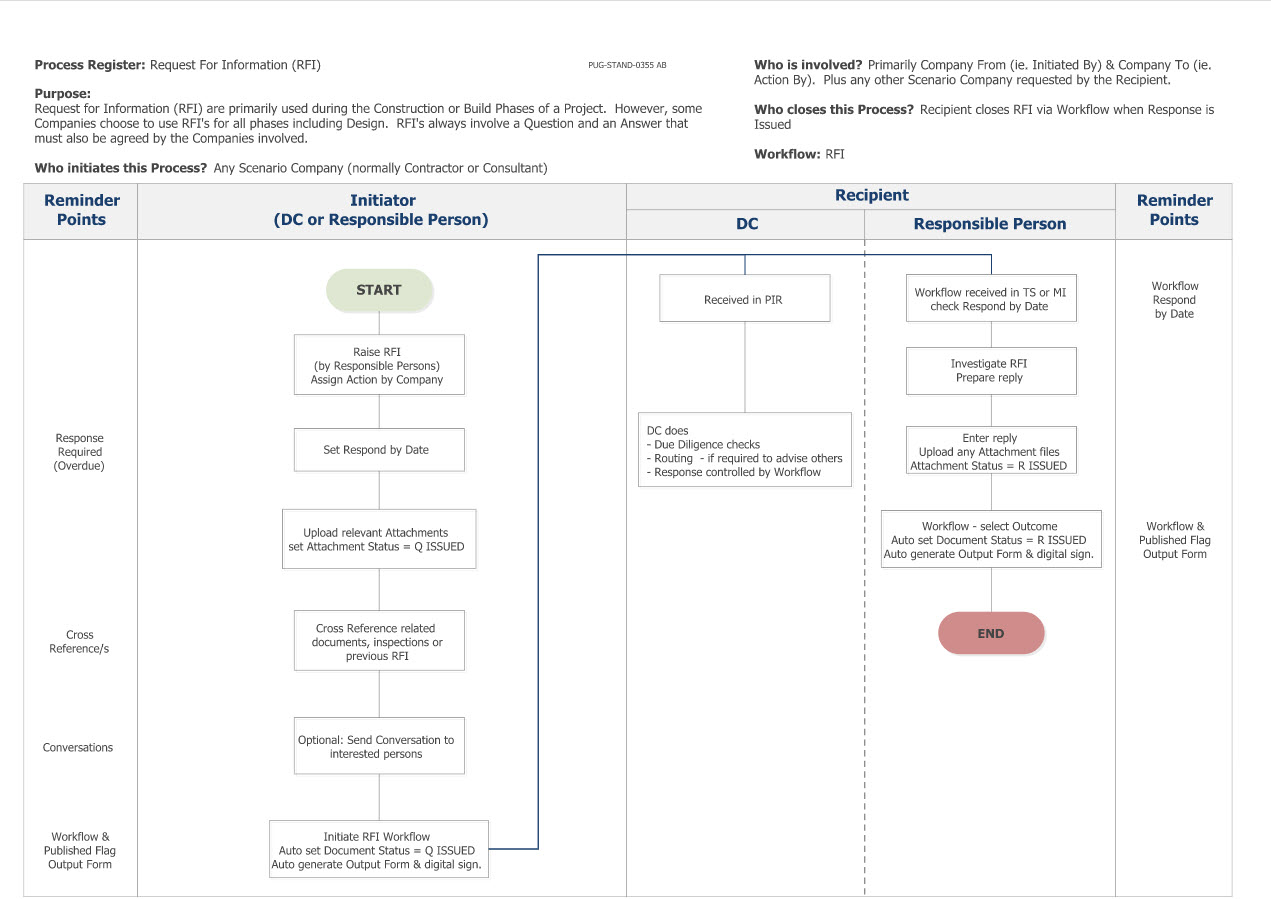
This Process flow provides Users with information on each process to understand the steps needed to be performed in order to complete the process.
Process Flow Help Guide can be configured and customised per Register. It's a HTML file in the format of [RegisterCode].html, e.g. RFI.html.
Screen Explanation
Sample Process Help for RFI
How Do I?
How Do I Upload the Process Flow Help File(s)?
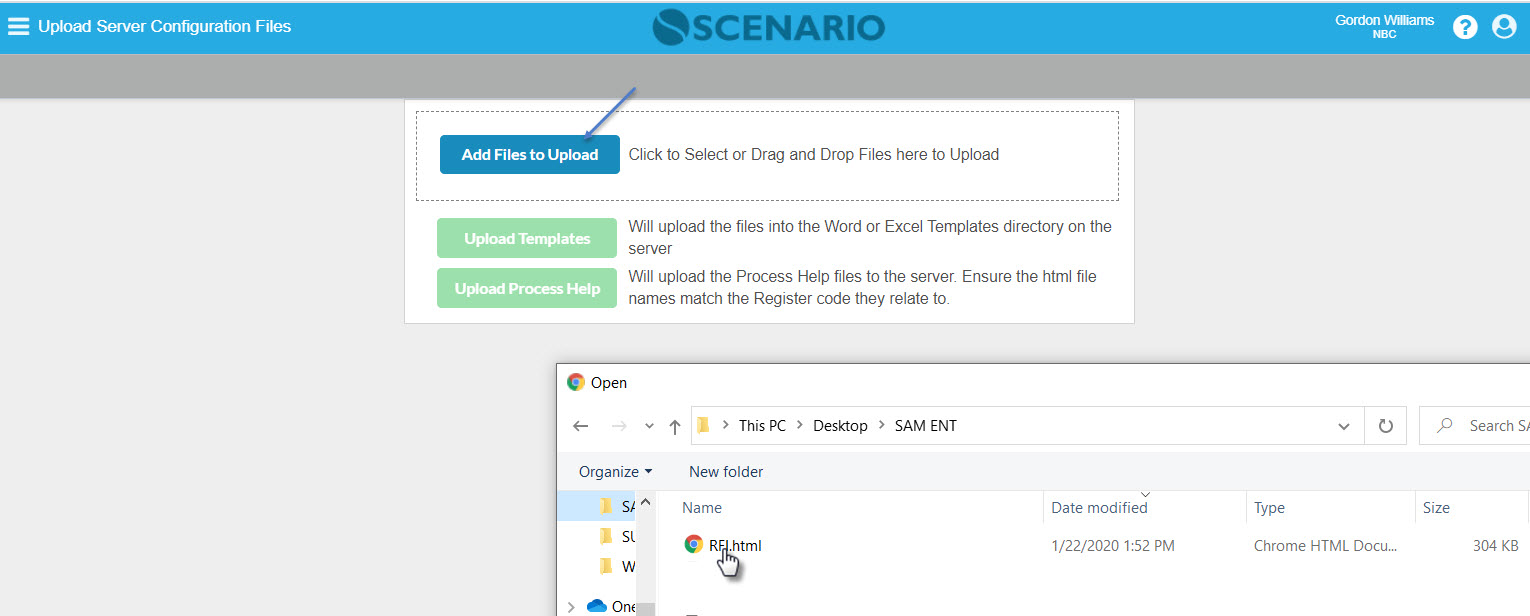
1. Open the Upload Server Configuration Files screen |
|---|
|
Open the Upload Server Configuration Files screen then add file(s) to upload. Note that the filename should be equal to the Register code.html |
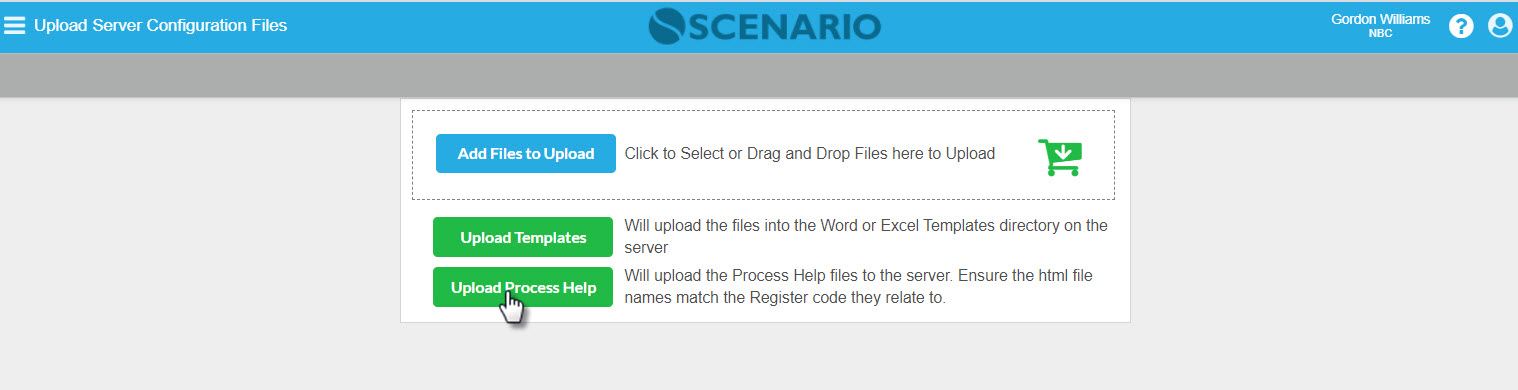
2. Upload Process Help |
|
Once the file has been selected, click the Upload Process Help button. |
How Do I View the Process Flow Help?
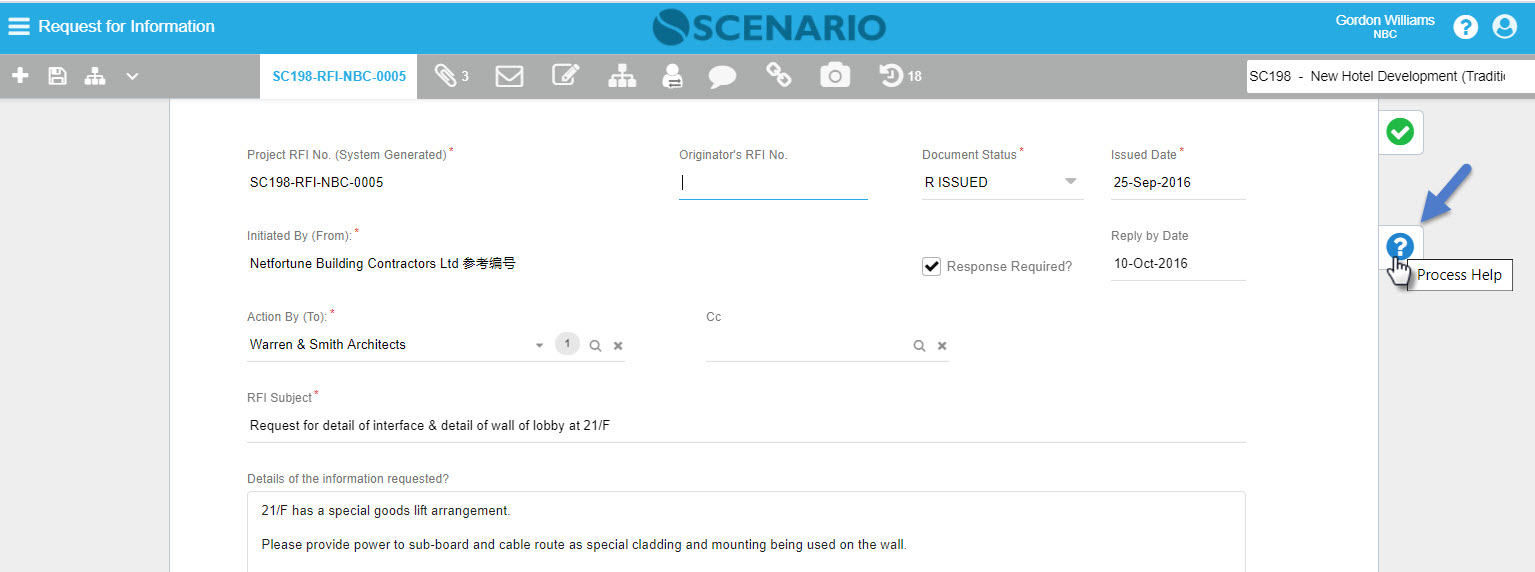
1. Open the Document |
|---|
|
On Document form entry, click the Process Help button to display the process flow diagram. |
| 2. View or save-as the process help |
|
| To save the process help, mouse right-click then select Save-as; it will be saved as .html file. |
Examples of Use
<insert examples of use here>
Related Topics
<insert any related topics here>